- Everyday AI
- Posts
- Ep 756: Claude's Desktop Updates: How-To Guide that Turns Claude into A Proactive Personal Agent
Ep 756: Claude's Desktop Updates: How-To Guide that Turns Claude into A Proactive Personal Agent
Meta expanded its AI chip deal with Broadcom, Gemini is now available on Mac, and Anthropic is launching Claude Opus 4.7, and more.

Everyday AI
April 15, 2026
👉 Subscribe Here | 🗣 Hire Us To Speak | 🤝 Partner with Us | 🤖 Grow with GenAI
Sup y’all! 👋
In the U.S., today is the tax deadline. (Rut roh!)
Before you plug all your receipts into AI and hit send, check out the below tips from a recent appearance I had on CNBC.
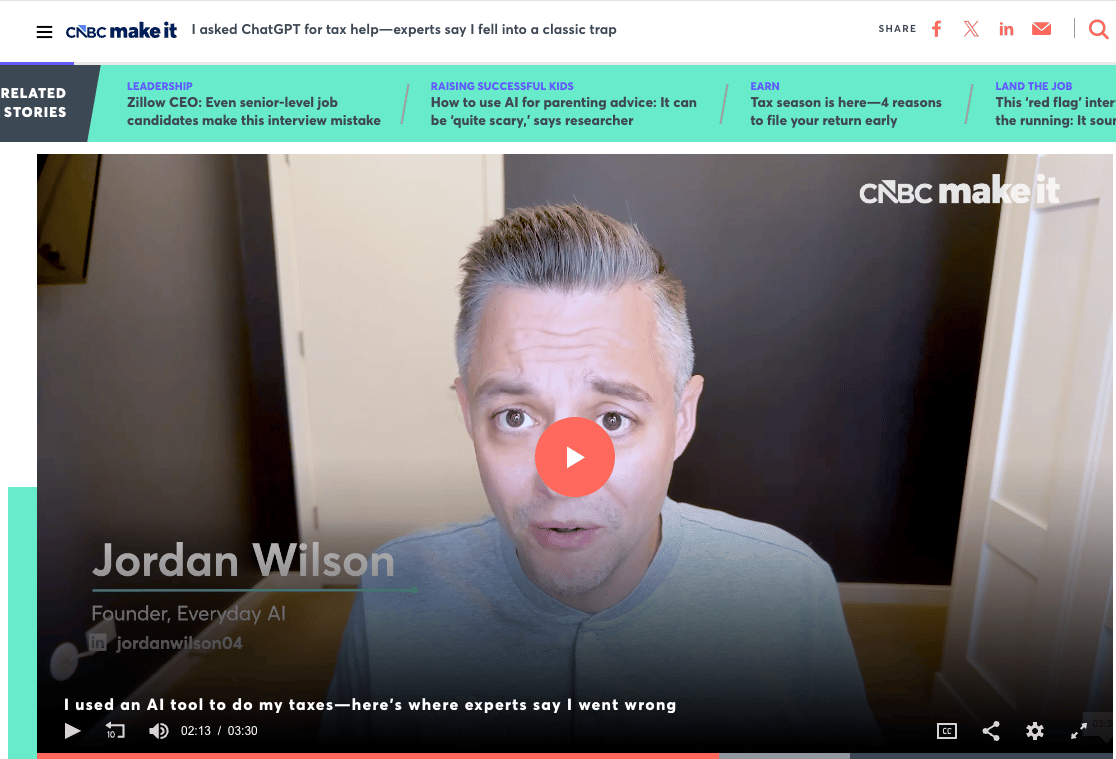
Happy taxing.
✌️
Jordan
Outsmart The Future
Today in Everyday AI
8 minute read
🎙 Daily Podcast Episode: Anthropic just shipped a wave of updates to Claude Desktop, turning it from a chatbot into a tool that can actually run tasks on your computer. Give today’s show a watch/read/listen to learn more.
🕵️♂️ Fresh Finds: Anthropic’s Claude outperformed human researchers, OpenAI is preparing a new image model, Allbirds is making a surprising shift into AI and more. Read on for Fresh Finds.
🗞 Byte Sized Daily AI News: Meta expanded its AI chip deal with Broadcom, Gemini is now available on Mac, and Anthropic close to launching Claude Opus 4.7, and more. Read on for Byte Sized News.
💪 Leverage AI: Claude just stacked major desktop updates, and the shift is clear—AI is moving from chat to execution. Keep reading for that!
↩️ Don’t miss out: Miss our last newsletter? We covered: Trump deletes AI image of himself depicted as Jesus, attempted murder charges against Sam Altman attacker, Anthropic in hot water after reported model nerfing and more. Check it here!

Ep 756: Claude's Desktop Updates: How-To Guide that Turns Claude into A Proactive Personal Agent
Yeah OpenClaw's great.... but did you see the latest updates to Claude Desktop?! 🤯
If you're using Claude exclusively on the web, it's like you're stuck in 2022.
For putting AI to Work on Wednesdays, we're rolling out a complete guide to using Claude Desktop for beginners, including the newest updates that are less than 24 hours old.
It's time for AI to start working for you, not the other way around.

Also on the pod today:
• Claude desktop vs. web: night and day 🌗
• New Routines automate your workflows 🔄
• Opus 4.7 may drop this week 👀
It’ll be worth your 55 minutes:
Listen on our site:

Click to listen
Subscribe and listen on your favorite podcast platform
Listen on:

Here’s our favorite AI finds from across the web:
New AI Tool Spotlight – Intent is A developer workspace where agents are coordinated, specs stay alive, and every workspace is isolated, Lovable Organises your projects with tabs and leverage local MCPs in your workflows, Fathom summarizes your meetings so you can focus on the conversation.
Copilot in Word — Copilot in Word now brings smarter track changes, comments, and formatting tools tailored for legal, finance, and compliance work.
Anthropic Research — Anthropic's Claudes crushed human researchers in automating AI alignment experiments, finding nearly perfect solutions in days.
Allbirds Switches to AI — Allbirds is ditching shoes for AI, sending its stock soaring over 700 percent. Curious how a sneaker brand plans to take on Silicon Valley?
Character.AI Updates — Character.ai just dropped game-changing updates and the long-awaited Lorebook is finally coming. See what's new before everyone else.
MAI-Image-2-Efficient Dropped — MAI-Image-2-Efficient just dropped, making high-quality text-to-image generation way faster and cheaper.
Gemini 3.1 Flash TTS — Google just dropped Gemini 3.1 Flash TTS with audio tags for real-time, natural voice control.
OpenAI Prepping Image V2 — OpenAI is hinting at an "Image v2" rollout soon, with faster and cleaner image generation spotted in recent app updates.
Claude Code App Update — Claude Code’s desktop app got a makeover, making it easy to juggle multiple coding sessions with a slick sidebar, drag-and-drop panes, and in-app editing.
Personal Intelligence Worldwide — Google's Personal Intelligence is rolling out globally in the Gemini app, letting users connect apps like Gmail and Photos for tailored responses.
Chrome Skills — Chrome just launched "Skills" so you can save, reuse, and customize your favorite AI prompts with one click.
Gemini Agentic Shopping — Google's Gemini app is testing a built-in shopping cart, hinting you'll soon be able to browse and buy without ever leaving the assistant.

1. Meta and Broadcom Expand AI Chip Partnership 🤝
Meta has announced a major expansion of its partnership with Broadcom to co-develop new generations of its custom MTIA AI chips, aiming for four new versions in the next two years.
This move ramps up Meta’s push to boost performance and efficiency across its AI-powered services, backed by Broadcom’s chip design and high-speed networking tech. The deal starts with a huge 1GW hardware rollout, signaling plans for even bigger infrastructure growth ahead.
2. Gemini AI Lands on Mac, Brings Contextual Smarts Everywhere 🖥️
Google’s Gemini app has officially launched for Mac desktops, letting users summon AI help from any screen without tab-hopping or breaking their workflow.
With customizable shortcuts, instant window sharing, and creative tools like image and video generation, Gemini aims to make everyday tasks faster and smarter. The app is free and available globally for Macs running Sequoia (15.0) or later, syncing seamlessly across devices as long as you’re signed in.
3. Amazon Unveils All-in-One Lab-in-the-Loop Drug Discovery App 📱
Amazon just launched Bio Discovery, an application that finally connects AI-powered drug design with wet-lab validation in a single platform, making advanced lab-in-the-loop drug discovery accessible to any research team.
This means computational biologists and bench scientists can now collaborate seamlessly without battling complicated code, manual handoffs, or scattered tools. By integrating 40+ AI biology models, easy workflow creation, agent-guided experiment design, and direct links to contract research labs, Amazon is eliminating the major bottlenecks that have slowed drug discovery for years.
4. OpenAI Unveils GPT‑5.4‑Cyber for Trusted Defenders 🛡️
OpenAI is rolling out its most cyber-capable model yet, GPT‑5.4‑Cyber, giving thousands of verified security teams and individuals new tools to defend critical digital infrastructure.
The program, called Trusted Access for Cyber (TAC), introduces stricter identity checks but loosens restrictions for legitimate defenders, letting them spot and patch software vulnerabilities faster than ever. This move is part of OpenAI’s strategy to stay a step ahead of cyber attackers by scaling defensive AI access as model capabilities grow.
5. Anthropic Unveils New AI Tools in Big Move ⚒️
Anthropic is set to launch its upgraded Claude Opus 4.7 model and an innovative AI design tool, marking a significant step in the ongoing AI race.
These fresh releases demonstrate Anthropic’s commitment to pushing boundaries and improving generative AI capabilities, as the company aims to compete more aggressively with rivals like OpenAI and Google. The new design tool is expected to give users more creative control, spotlighting the fast-paced evolution of artificial intelligence for both businesses and creators.
6. Snapchat Slashes Jobs, Blames AI Boom 👻
Snap Inc., the parent of Snapchat, just announced it will cut about 16% of its workforce, roughly 1,000 jobs, citing the rise of artificial intelligence as the main reason.
The move comes as tech companies everywhere are trimming staff, with Snap executives saying AI can handle repetitive tasks and speed up work, though critics call this “AI-washing.” Activist investors have been pressuring Snap to rein in costs, and the company’s stock jumped 6% after the news broke on Wednesday morning.

In the past eight weeks, Claude picked up more than a dozen meaningful updates, and most of them landed on desktop. We counted.
What changed? Anthropic stopped building a nicer chatbot and started building a local operator for your work.
(And sorry... if your team still lives in a browser tab, your competitors are prolly already testing the next layer.)
That should make enterprise leaders a little itchy.
Because once AI can touch local files, run on a schedule, use connectors, and control a browser, the game stops being “Which model writes nicer answers?” It becomes “Which company quietly automated the boring middle of knowledge work first?”
That is the real value on today’s show.
Not the demo. Not the shiny UI. The shift. Claude Desktop is becoming the place where chat, task execution, and lightweight agents start collapsing into one workflow.
Miss that, and your AI strategy starts looking like a flip phone at a board meeting.
1. Move Beyond Browser Claude 🔥
Most teams still use Claude on the web. That is the whole problem.
This episode makes it painfully clear that desktop is where the serious leverage is moving. Claude Chat, Claude Cowork, and Claude Code now sit much closer to local files, recurring tasks, browser control, and app-level execution. That means the value is no longer just faster thinking. It is faster doing.
That should hit ops, marketing, finance, and admin teams right in the forehead. The browser helps with answers. Desktop starts removing human duct tape. All those tiny rituals that eat 20 minutes here and 40 there suddenly look extremely automatable.
That is the FOMO. Not “AI is coming.” Nah. It is that another team in your market is prolly already turning repetitive desktop work into a quiet advantage while yours is still copy-pasting like it is 2023.
Try This:
Pick one workflow your team repeats at least three times a week.
Not the sexy one. The annoying one.
Look for the task that touches files, a browser, and a repeatable sequence. That is the signal that a web chatbot is too small for the job.
Then ask one ruthless question. Does this task need better answers, or does it need actual execution? If the answer is execution, your pilot belongs on desktop.
2. Turn Repetition Into Routines ⚡
The most important update here is not flashy. It is Routines.
That sounds beige. It is not. It is the feature that starts turning Claude from reactive helper into something closer to an always-on operator. Scheduled work, event-triggered work, and API-triggered work are where the real business utility starts stacking up fast.
And that matters because non-technical teams can now creep into territory that used to feel reserved for power users. Email triage, report generation, spreadsheet updates, recurring prep work, and connector-driven busywork all start looking less like tasks and more like candidates for delegation.
This is why the transcript keeps circling back to desktop. Once AI can run recurring work and save outputs where people already live, adoption gets less philosophical. It gets practical. You stop asking whether AI is useful. You start deciding which chores deserve to disappear first.
Try This:
Write down one daily task, one weekly task, and one task triggered by an event.
Now rank them by boredom plus business impact. That combo matters way more than novelty.
Your first automation target should be the job that is repeatable, mildly soul-crushing, and expensive only because a smart person keeps doing it by hand. Start there on Monday. Then expand after it works.
3. Sandbox The Power Carefully 🚀
Here is the part too many AI writeups treat like a footnote. More power means more ways to get weird.
This episode calls out three real issues. Context can stay siloed across chat, Cowork, and Code. Computer use can hijack your screen. And some desktop features are buggy enough to annoy the hell out of anyone trying to rely on them for serious work.
That does not kill the opportunity. It changes the rollout. Smart leaders should not read this and think, “Let’s wire this into everything.” Wrong. The better move is a sandboxed deployment with narrow permissions, safe folders, small scopes, and a human fallback while the tooling matures.
That is still a huge edge. Because careful adopters get the gains without letting one flaky overnight run torch trust across the whole company. Wild how often that part gets skipped.
Try This:
Set up one contained pilot with one safe folder, one recurring task, and one owner.
Keep the blast radius tiny. Make success easy to measure.
Then review it like an operator, not a fan. Did it save time? Did it break? Did it need babysitting? That tells you whether to scale, tweak, or kill it before the rest of the org even notices.
Reply